Xcode Build Server
Archive and notarize iOS and macOS apps on a Mac mini M6.
Rent a dedicated Apple M6 Mac mini in the cloud, racked in the NYC Metro area. Nobody else uses it. Run it as an Xcode build box, a CI runner, or a remote Mac desktop, with full administrator access. From $99 a month, no contract.
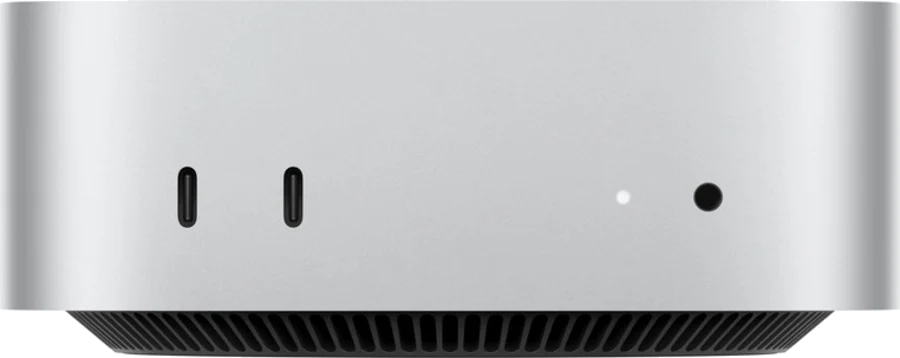
Archive and notarize iOS and macOS apps on a Mac mini M6.
Point a self-hosted GitHub Actions runner or a Jenkins or Buildkite agent at it.
Open the macOS desktop with Screen Sharing, or stay in the terminal over SSH. It's an easy way to run the iOS Simulator from a Windows or Linux laptop.
Premium has 24 GB of unified memory, enough for quantized open models up to about 14B parameters on the M6 GPU.
Rent a dedicated cloud Mac mini by the month and cancel when you like. Both plans run on the Apple M6 chip.
Mac mini M6 · 16 GB memory · 256 GB SSD
Xcode builds, CI runners, app testing, and a remote macOS desktop
Mac mini M6 · 24 GB memory · 512 GB SSD
Larger Xcode projects, several simulators at once, bigger build caches, and small local AI models
See how these prices compare with other Mac mini hosts, or read MacHerald vs MacStadium and AWS EC2 Mac.
NYC Metro
All MacHerald Macs live in this 10,000 square foot data center. Power, cooling, and network each have a backup, and technicians and guards are there 24/7.
The building takes 600 kW from the utility. If the grid drops, a 600 kW diesel generator fed by a 5,000 gallon tank starts automatically, and N+1 UPS units carry the load for the few seconds it needs to spin up.
Cooling is N+1, so one unit can fail without the room warming up. The target is 75°F, plus or minus 5 degrees, at about 45% humidity.
More than 30 carriers, ISPs, and CDNs are in the building, Cogent, Lumen, Zayo, and Lightpath among them, and fiber enters through separate paths. Each Mac gets a 1 Gbps port. Bandwidth isn't metered.
Reaching a cage means getting past biometric readers and a mantrap. Cameras record around the clock and the footage is archived. Guards are on site 24/7.
Pick a plan and leave a name and email. No card needed.
When a Mac frees up, we write to confirm the plan and set up monthly billing.
Log in over SSH or Screen Sharing as an administrator and install what you like.
Dedicated. Each plan is one physical Mac mini with an Apple M6 chip, and nobody else uses it. There is no virtual machine layer in between.
Yes. It lives in a data center and you reach it over the internet, like any cloud server.
Base is $99 a month for 16 GB of memory and a 256 GB SSD. Premium is $169 a month for 24 GB of memory and a 512 GB SSD. Both include a 1 Gbps port, unmetered.
No. You pay month to month and can cancel whenever you want.
In the NYC Metro area, a few milliseconds from Manhattan. The building has a diesel generator, N+1 UPS and cooling, more than 30 network carriers, and staff on site around the clock.
Yes. Macs ship with the latest macOS and an administrator account, so you can install Xcode, sign in with an Apple ID, and add Homebrew, fastlane, or anything else.
Yes. Install a self-hosted GitHub Actions runner, a Jenkins or Buildkite agent, or whatever CI tool you already use. Nobody else shares the Mac, so jobs never queue behind other customers.
SSH for the terminal. Screen Sharing (VNC) when you want the desktop. You can also install Tailscale or another VPN and reach the Mac only over your private network.
No. The 1 Gbps port is unmetered and there is no data cap.
Premium. Its 24 GB of unified memory holds bigger models than the 16 GB in Base, though both are meant for small, quantized models.
Every Mac we have is rented right now. We add more regularly and email people on the waitlist as they come online. Joining costs nothing.
Both plans are sold out for now. Pick one on the pricing table to join its waitlist, and we'll email you when a Mac is ready.
See Pricing